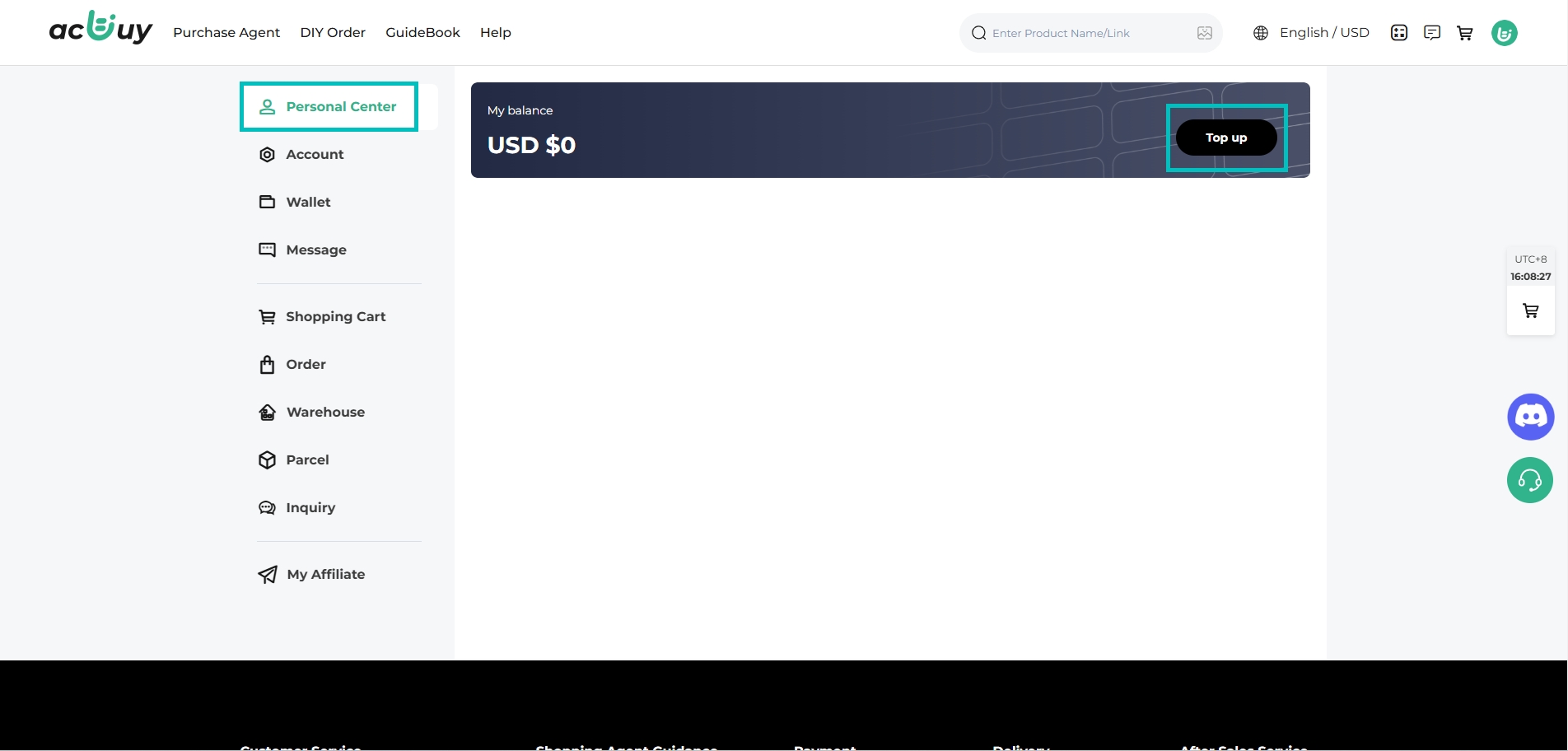
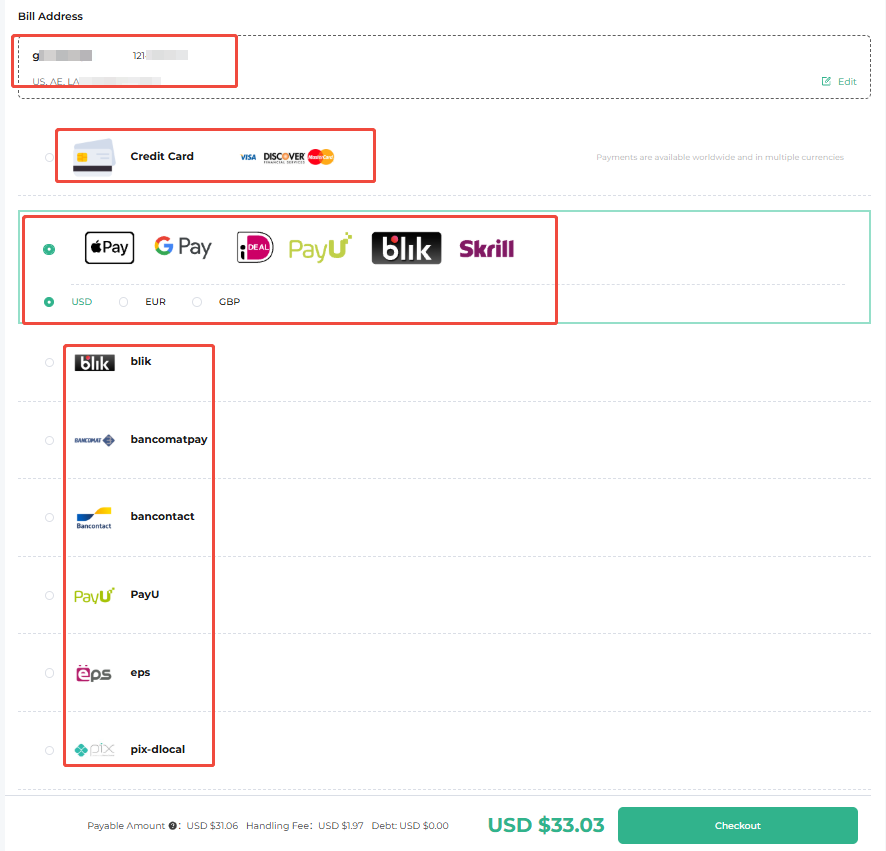
1, Log in to your account and go to Personal Center > Top-up.

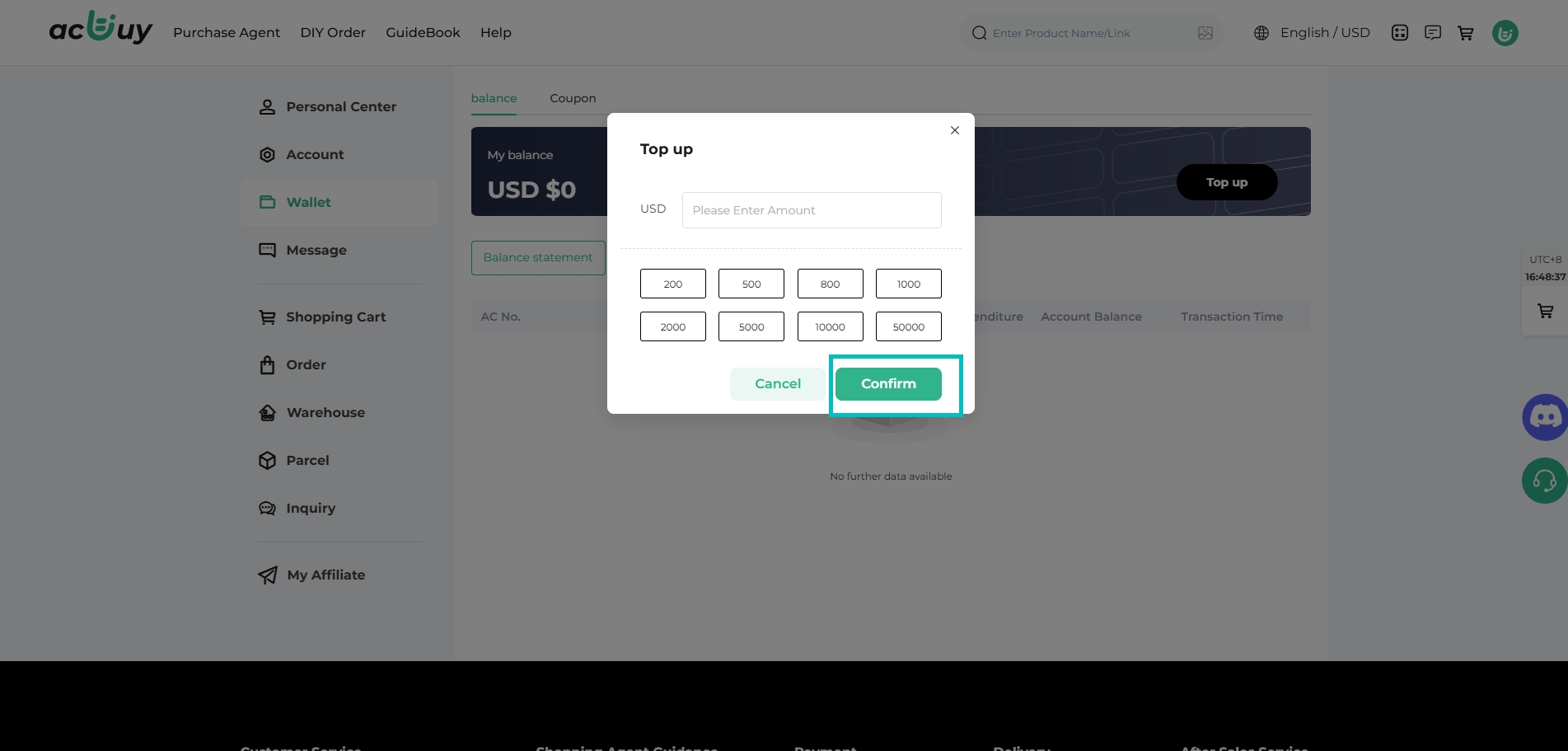
2, Enter the amount you want to top up and click Confirm.  (To ensure a successful purchase, the top-up amount should be greater than the product price.)

3, Select your preferred payment method and click Check Out.

Bank processing may take some time. Normally, your balance will appear in your acbuy account within 3 business days after payment.
If you need to withdraw funds, go to the Personal Center, locate the original payment channel, and enter your payment password. The finance team will process it within 1–5 business days. If you haven't received it, feel free to contact customer service for assistance.